Showing posts with label Repair. Show all posts

Tuesday, October 7, 2025

Does my copier need repair

Copier Repair: A Comprehensive Guide to Troubleshooting Before Calling for Service

Executive Summary

Before investing time and money in professional copier repair services, businesses can often resolve common issues through systematic troubleshooting. This report outlines essential steps that can save your organization hundreds of dollars in service calls while minimizing downtime. Studies show that up to 60% of service calls for office equipment could be resolved through basic troubleshooting, making this knowledge invaluable for any office manager or administrative professional.

Why Troubleshoot Before Calling?

Cost Savings: Professional copier repair typically costs between $150-$300 per service call, not including parts. Many common issues require no parts and can be resolved in minutes.

Time Efficiency: Scheduling a technician can take 24-72 hours. Self-troubleshooting takes minutes and gets your office back to productivity immediately.

Empowerment: Understanding your equipment reduces dependency on external support and builds valuable institutional knowledge.

Critical Pre-Service Troubleshooting Steps

1. Power and Connection Issues

Before assuming a mechanical failure, verify the fundamentals. Surprisingly, power-related issues account for nearly 25% of unnecessary service calls.

Check these basics:

  • Ensure the copier is plugged into a working outlet (test with another device)
  • Verify the power strip or surge protector is functioning and switched on
  • Check if the circuit breaker has tripped
  • Confirm all cable connections are secure, including network cables for networked copiers
  • Look for any error messages on the display panel and write them down

Why this matters: Loose connections from cleaning crews, accidental unplugging, or tripped breakers are embarrassingly common causes of "broken" copiers. Five minutes of checking can save significant expense and embarrassment.

2. Paper Jams: The Most Common Culprit

Paper jams represent 40-50% of all copier problems, and most can be cleared without professional help.

Proper jam clearing procedure:

  • Turn off the copier before clearing jams to prevent damage and injury
  • Open all accessible doors and trays systematically
  • Remove paper slowly and steadily in the direction of paper flow (pulling against the rollers can cause damage)
  • Check for torn pieces—even small fragments cause repeated jams
  • Inspect the paper path for foreign objects (paper clips, staples, sticky notes)
  • Fan paper before loading to prevent multiple sheets feeding together
  • Ensure paper is properly aligned in trays and not overfilled

Post-jam prevention: Use fresh, appropriate paper stored in climate-controlled conditions. Humidity and paper quality dramatically affect jam frequency.

3. Print Quality Issues

Before calling for service on quality problems, systematic testing can identify whether the issue is mechanical or user-related.

Troubleshooting sequence:

  • Run the built-in diagnostic/cleaning cycle (consult your manual for the specific procedure)
  • Check toner levels—low toner causes faded prints and streaking
  • Inspect the drum unit for visible damage or debris
  • Print a test page to determine if the issue is consistent or intermittent
  • Check if the problem occurs on copies, prints, or both (this helps isolate the source)
  • Clean the scanner glass and document feeder with appropriate cleaner
  • Remove and reinstall toner cartridges to ensure proper seating

Documentation is crucial: Take photos of defective prints showing the specific pattern of the defect. Technicians can often diagnose issues remotely with good visual documentation, potentially saving a service call entirely.

4. Error Codes and Messages

Modern copiers display specific error codes that provide valuable diagnostic information. These codes are your copier communicating exactly what's wrong.

How to leverage error codes:

  • Write down the complete error code and message
  • Consult your user manual's error code section (usually near the back)
  • Search the manufacturer's website for the specific error code and your model
  • Check online forums for your copier model—many users have encountered and solved identical issues
  • Note when the error occurs (startup, during copying, after warming up)

The power of information: Providing error codes to a service technician allows them to bring the correct parts and tools, reducing multiple visits. Some error codes indicate simple issues like replacing consumables that you can handle yourself.

5. Software and Network Issues

For networked copiers experiencing printing problems, the issue often lies in software rather than hardware.

Check these elements:

  • Restart the copier and your computer
  • Verify the copier appears in your computer's printer list
  • Check that you're sending jobs to the correct printer (many offices have multiple devices)
  • Ensure print drivers are current—download updates from the manufacturer's website
  • Try printing from a different computer to isolate whether it's a computer-specific issue
  • Check your network connection and try pinging the copier's IP address
  • Clear the print queue of stuck jobs that may be blocking new prints

IT involvement: Many "copier problems" are actually network issues. Involving your IT department before calling copier repair can save misrouted service calls.

6. Consumables and Maintenance Items

Regular consumables need replacement, and failing to do so causes problems mistaken for mechanical failure.

Items you should monitor and replace:

  • Toner cartridges (monitor levels through the copier display)
  • Staple cartridges (if your copier has a finisher)
  • Waste toner containers (these fill up and must be emptied or replaced)
  • Paper trays (ensure they're properly inserted and not damaged)

Preventive maintenance: Keep spare toner and staples on hand. Running out during a critical job creates unnecessary emergencies. Most consumables can be replaced without technical expertise.

7. Review the User Manual

This seems obvious, yet it's the most overlooked step. Your copier's manual contains troubleshooting flowcharts designed specifically for your model.

Manual advantages:

  • Model-specific guidance that generic advice cannot provide
  • Illustrations showing exactly where to look and what to check
  • Maintenance schedules preventing problems before they occur
  • Warranty information that may cover your issue

Digital access: If you've lost the physical manual, search "[your copier model] user manual PDF" online. Manufacturers typically provide free downloads.

When Professional Service Is Actually Needed

After exhausting these troubleshooting steps, call for professional service when you encounter:

  • Persistent error codes that manual troubleshooting cannot resolve
  • Mechanical sounds (grinding, squealing, clicking) that indicate physical component failure
  • Repeated jams in the same location despite proper clearing procedures
  • Image quality issues that persist after cleaning and replacing consumables
  • Electrical issues like burning smells, smoke, or sparking
  • Physical damage to components
  • Issues covered under your warranty or service contract

Maximizing Your Service Call Value

If professional service is required, maximize efficiency and value:

Prepare this information:

  • Complete error codes and messages
  • Description of when the problem occurs (frequency, triggers, duration)
  • What you've already tried
  • Photos of error messages or print quality issues
  • Your copier's model and serial number
  • Recent changes to office environment (moved location, new network setup)

Ask these questions:

  • Is this repair covered under warranty or service contract?
  • What's the estimated cost before they begin work?
  • Are there preventive measures to avoid this issue recurring?
  • Is this a sign that replacement should be considered?

The Cost-Benefit Analysis

Consider this scenario: A typical office makes 5-6 "emergency" copier service calls annually. At $200 per call, that's $1,000-$1,200 yearly. If systematic troubleshooting eliminates just 3 of those calls, you save $600 while reducing downtime from days to minutes.

Furthermore, demonstrating troubleshooting competency during service calls helps technicians work more efficiently. They'll trust your observations, bring appropriate parts, and resolve issues faster.

Building Long-Term Competency

Designate an office "copier champion" who becomes familiar with your specific model. This person should:

  • Maintain a log of issues and resolutions
  • Keep the user manual accessible
  • Stock appropriate consumables
  • Build a relationship with your preferred service provider
  • Schedule preventive maintenance proactively

This approach transforms copier management from reactive crisis response to proactive equipment stewardship.

Conclusion

Professional copier repair has its place, but it should be your last resort, not your first response. The troubleshooting steps outlined here require no technical background—just patience, attention to detail, and systematic thinking. By implementing this approach, you'll reduce costs, minimize downtime, and develop valuable equipment management skills.


Remember: every minute spent troubleshooting is an investment in your organization's efficiency and bottom line. The most expensive repair is the one you didn't need in the first place.

copier sales

Saturday, October 4, 2025

Does my copier need repair

Copier Repair: A Comprehensive Guide to Troubleshooting Before Calling for Service

Executive Summary

Before investing time and money in professional copier repair services, businesses can often resolve common issues through systematic troubleshooting. This report outlines essential steps that can save your organization hundreds of dollars in service calls while minimizing downtime. Studies show that up to 60% of service calls for office equipment could be resolved through basic troubleshooting, making this knowledge invaluable for any office manager or administrative professional.

Why Troubleshoot Before Calling?

Cost Savings: Professional copier repair typically costs between $150-$300 per service call, not including parts. Many common issues require no parts and can be resolved in minutes.

Time Efficiency: Scheduling a technician can take 24-72 hours. Self-troubleshooting takes minutes and gets your office back to productivity immediately.

Empowerment: Understanding your equipment reduces dependency on external support and builds valuable institutional knowledge.

Critical Pre-Service Troubleshooting Steps

1. Power and Connection Issues

Before assuming a mechanical failure, verify the fundamentals. Surprisingly, power-related issues account for nearly 25% of unnecessary service calls.

Check these basics:

  • Ensure the copier is plugged into a working outlet (test with another device)
  • Verify the power strip or surge protector is functioning and switched on
  • Check if the circuit breaker has tripped
  • Confirm all cable connections are secure, including network cables for networked copiers
  • Look for any error messages on the display panel and write them down

Why this matters: Loose connections from cleaning crews, accidental unplugging, or tripped breakers are embarrassingly common causes of "broken" copiers. Five minutes of checking can save significant expense and embarrassment.

2. Paper Jams: The Most Common Culprit

Paper jams represent 40-50% of all copier problems, and most can be cleared without professional help.

Proper jam clearing procedure:

  • Turn off the copier before clearing jams to prevent damage and injury
  • Open all accessible doors and trays systematically
  • Remove paper slowly and steadily in the direction of paper flow (pulling against the rollers can cause damage)
  • Check for torn pieces—even small fragments cause repeated jams
  • Inspect the paper path for foreign objects (paper clips, staples, sticky notes)
  • Fan paper before loading to prevent multiple sheets feeding together
  • Ensure paper is properly aligned in trays and not overfilled

Post-jam prevention: Use fresh, appropriate paper stored in climate-controlled conditions. Humidity and paper quality dramatically affect jam frequency.

3. Print Quality Issues

Before calling for service on quality problems, systematic testing can identify whether the issue is mechanical or user-related.

Troubleshooting sequence:

  • Run the built-in diagnostic/cleaning cycle (consult your manual for the specific procedure)
  • Check toner levels—low toner causes faded prints and streaking
  • Inspect the drum unit for visible damage or debris
  • Print a test page to determine if the issue is consistent or intermittent
  • Check if the problem occurs on copies, prints, or both (this helps isolate the source)
  • Clean the scanner glass and document feeder with appropriate cleaner
  • Remove and reinstall toner cartridges to ensure proper seating

Documentation is crucial: Take photos of defective prints showing the specific pattern of the defect. Technicians can often diagnose issues remotely with good visual documentation, potentially saving a service call entirely.

4. Error Codes and Messages

Modern copiers display specific error codes that provide valuable diagnostic information. These codes are your copier communicating exactly what's wrong.

How to leverage error codes:

  • Write down the complete error code and message
  • Consult your user manual's error code section (usually near the back)
  • Search the manufacturer's website for the specific error code and your model
  • Check online forums for your copier model—many users have encountered and solved identical issues
  • Note when the error occurs (startup, during copying, after warming up)

The power of information: Providing error codes to a service technician allows them to bring the correct parts and tools, reducing multiple visits. Some error codes indicate simple issues like replacing consumables that you can handle yourself.

5. Software and Network Issues

For networked copiers experiencing printing problems, the issue often lies in software rather than hardware.

Check these elements:

  • Restart the copier and your computer
  • Verify the copier appears in your computer's printer list
  • Check that you're sending jobs to the correct printer (many offices have multiple devices)
  • Ensure print drivers are current—download updates from the manufacturer's website
  • Try printing from a different computer to isolate whether it's a computer-specific issue
  • Check your network connection and try pinging the copier's IP address
  • Clear the print queue of stuck jobs that may be blocking new prints

IT involvement: Many "copier problems" are actually network issues. Involving your IT department before calling copier repair can save misrouted service calls.

6. Consumables and Maintenance Items

Regular consumables need replacement, and failing to do so causes problems mistaken for mechanical failure.

Items you should monitor and replace:

  • Toner cartridges (monitor levels through the copier display)
  • Staple cartridges (if your copier has a finisher)
  • Waste toner containers (these fill up and must be emptied or replaced)
  • Paper trays (ensure they're properly inserted and not damaged)

Preventive maintenance: Keep spare toner and staples on hand. Running out during a critical job creates unnecessary emergencies. Most consumables can be replaced without technical expertise.

7. Review the User Manual

This seems obvious, yet it's the most overlooked step. Your copier's manual contains troubleshooting flowcharts designed specifically for your model.

Manual advantages:

  • Model-specific guidance that generic advice cannot provide
  • Illustrations showing exactly where to look and what to check
  • Maintenance schedules preventing problems before they occur
  • Warranty information that may cover your issue

Digital access: If you've lost the physical manual, search "[your copier model] user manual PDF" online. Manufacturers typically provide free downloads.

When Professional Service Is Actually Needed

After exhausting these troubleshooting steps, call for professional service when you encounter:

  • Persistent error codes that manual troubleshooting cannot resolve
  • Mechanical sounds (grinding, squealing, clicking) that indicate physical component failure
  • Repeated jams in the same location despite proper clearing procedures
  • Image quality issues that persist after cleaning and replacing consumables
  • Electrical issues like burning smells, smoke, or sparking
  • Physical damage to components
  • Issues covered under your warranty or service contract

Maximizing Your Service Call Value

If professional service is required, maximize efficiency and value:

Prepare this information:

  • Complete error codes and messages
  • Description of when the problem occurs (frequency, triggers, duration)
  • What you've already tried
  • Photos of error messages or print quality issues
  • Your copier's model and serial number
  • Recent changes to office environment (moved location, new network setup)

Ask these questions:

  • Is this repair covered under warranty or service contract?
  • What's the estimated cost before they begin work?
  • Are there preventive measures to avoid this issue recurring?
  • Is this a sign that replacement should be considered?

The Cost-Benefit Analysis

Consider this scenario: A typical office makes 5-6 "emergency" copier service calls annually. At $200 per call, that's $1,000-$1,200 yearly. If systematic troubleshooting eliminates just 3 of those calls, you save $600 while reducing downtime from days to minutes.

Furthermore, demonstrating troubleshooting competency during service calls helps technicians work more efficiently. They'll trust your observations, bring appropriate parts, and resolve issues faster.

Building Long-Term Competency

Designate an office "copier champion" who becomes familiar with your specific model. This person should:

  • Maintain a log of issues and resolutions
  • Keep the user manual accessible
  • Stock appropriate consumables
  • Build a relationship with your preferred service provider
  • Schedule preventive maintenance proactively

This approach transforms copier management from reactive crisis response to proactive equipment stewardship.

Conclusion

Professional copier repair has its place, but it should be your last resort, not your first response. The troubleshooting steps outlined here require no technical background—just patience, attention to detail, and systematic thinking. By implementing this approach, you'll reduce costs, minimize downtime, and develop valuable equipment management skills.


Remember: every minute spent troubleshooting is an investment in your organization's efficiency and bottom line. The most expensive repair is the one you didn't need in the first place.

commercial copier repair

Wednesday, October 1, 2025

5 Things to Know Before You Purchase a New Garage Door in Arlington, VA

Choosing a new garage door is a significant home improvement decision. Your garage door impacts curb appeal, security, and energy efficiency. Before you buy, consider these five essential points to make a smart investment for your Arlington, VA home. Select the Right Material. Choose from steel, wood, or fiberglass. Steel is durable and low-maintenance. Wood offers a classic look but requires more care. Your choice should match your home's style and the local climate. Prioritize Insulation. An insulated door helps regulate temperature and can lower energy costs. A higher R-value offers better thermal resistance. Check Opener Compatibility. A heavier new door may require a more powerful opener. You might need a garage door opener repair or replacement for safe operation. Confirm Safety Features. Ensure your new door has modern safety standards, including auto-reverse mechanisms and photo-eye sensors, to protect your property. Use Professional Installation. Improper installation is a serious hazard. A professional ensures your door is balanced correctly and functions safely, preventing a garage door off track situation. FAQ: Q: How long does a new garage door installation take? A: A standard garage door installation by a professional technician typically takes between 3 to 6 hours to complete.

garage door repair annandale va

Thursday, September 18, 2025

Ding No More: Mastering the Art of Dent Repair

Dents can appear on your vehicle unexpectedly, often leaving you feeling frustrated. But understanding what causes these pesky blemishes is the first step toward mastering dent repair. Dents can arise from a variety of sources, including hailstorms, shopping carts, and even minor fender benders. Each type varies in severity: some may leave a shallow impression while others create deep creases that seem daunting to fix. The good news? You don’t always need to shell out big bucks at an auto body shop; many dents can be tackled right at home with a little knowledge and the right tools.

To effectively combat those unsightly dings, you'll want to arm yourself with the essential tools for dent repair. Start with a hairdryer or heat gun—this will help warm up the metal and make it more pliable. Next, grab a can of compressed air or dry ice; both create a rapid temperature change that helps pop out dents after heating. A set of pliers and maybe even some specialized dent repair kits available online can also come in handy for stubborn marks. Lastly, keep microfiber cloths nearby to protect your car’s finish as you work.

Now that you're prepped for battle, let’s dive into a straightforward guide on how to tackle DIY dent repair like a pro! First up: assess the damage. Inspect the dent carefully; if it's shallow and not near any sharp edges or paint cracks, you're likely good to go. Warm the area surrounding the dent using your hairdryer—keep it about six inches away from the surface and move it around to avoid overheating any one spot. After about 30 seconds of heat application, quickly apply dry ice or spray compressed air directly onto the dented area.

The sudden cooling should cause the metal to contract rapidly, potentially popping out the dent entirely! If this doesn’t work on your first attempt—and it might not—don’t be discouraged! Patience is key here; repeat heating and cooling until you see progress. For deeper dents where traditional methods fall short, consider using suction cups designed specifically for this purpose; just ensure they’re attached firmly before pulling them away.

As much as we love DIY projects, there are occasions when professional help is warranted—know thy limits! If you've attempted repairs but still see visible damage or if your car's exterior has paint chips or cracks around the area needing attention, seeking professional assistance is advisable. Additionally, if you're dealing with complex shapes like creases along body lines or areas near sensitive components (think sensors), it’s best to turn things over to an expert who knows what they’re doing.

In conclusion, mastering dent repair opens up new doors for vehicular care that saves money while boosting confidence as an owner. By arming yourself with knowledge about different types of dents and their causes alongside essential techniques—you’ll find satisfaction in restoring your vehicle's pristine appearance through either DIY efforts or smartly knowing when it's time to seek outside expertise. So next time you encounter an unwanted ding? Remember: you have options!

autobody repair

Sunday, September 14, 2025

Top Trailer Repairs You Can Do Yourself: A Hands-On Approach

When it comes to trailer ownership, understanding the basic repairs and maintenance can save you time and money. Tackling these tasks yourself not only empowers you but also ensures your trailer remains safe and functional for all your adventures. Here’s a hands-on guide to essential tools, common issues, tire replacement, brake maintenance, and preventive care that will keep your trailer in top shape.

### Essential Tools and Safety Gear for DIY trailer repairs

Before diving into repairs, ensure you have the right tools at hand. A reliable toolkit should include:

**Wrenches and Sockets**: For loosening or tightening bolts.

**Jack and Jack Stands**: Essential for safely lifting the trailer when working under it.

**Tire Pressure Gauge**: To check air pressure before hitting the road.

**Pliers and Screwdrivers**: Useful for a range of quick fixes.

**Safety Gloves**: Protects your hands while working with heavy parts or sharp edges.

In addition to tools, safety gear should be a priority. Wear sturdy work boots, eye protection, and gloves to guard against potential injuries. Remember: safety first!

### Common Trailer Issues and How to Diagnose Them

Understanding common trailer problems is crucial for effective repairs. Some frequent issues include:

**Flat Tires**: Look for punctures or sidewall damage; always check tire pressure regularly.

**Brake Problems**: If brakes feel spongy or unresponsive, inspect brake fluid levels and lines for leaks.

**Electrical Failures**: Dim lights or malfunctioning signals often indicate wiring issues; inspect connections carefully.

Diagnosing problems early can prevent more extensive damage down the line. Always take note of any unusual sounds or handling changes while towing—these could signal underlying issues.

### Step-by-Step Guide to Replacing Trailer Tires

Changing a flat tire is one of the most straightforward repairs you can handle yourself. Here’s how:

1. **Safely Lift the Trailer**: Use a jack to lift the affected side until the tire is off the ground.

2. **Remove Old Tire**: Loosen lug nuts using your wrench—always work in a crisscross pattern—and take off the old tire.

3. **Mount New Tire**: Position your new tire on the hub, ensuring it aligns with bolt holes correctly.

4. **Secure Lug Nuts**: Hand-tighten each nut before lowering the trailer back down; finish tightening them fully once it's grounded.

Always double-check that tires are inflated to manufacturer-recommended pressures before hitting the road again.

### Maintaining and Repairing Trailer Brakes: A Beginner’s Guide

Brakes are vital for safe towing but can wear over time. Follow these steps for basic maintenance:

1. **Inspect Brake Pads**: Check thickness; if they’re less than 1/4 inch thick, consider replacing them.

2. **Clean Brake Components**: Remove dust buildup from pads and rotors using brake cleaner spray.

3. **Check Fluid Levels**: Ensure brake fluid is filled adequately; low levels may indicate leaks that need attention.

Perform this inspection at least once per season or before long trips to ensure optimal performance.

### Preventative Maintenance: Tips to Keep Your Trailer in Top Shape

To prolong your trailer's life, regular preventative maintenance is key:

Schedule routine inspections every six months focusing on tires, brakes, lights, and electrical systems.

Clean debris from wheel bearings regularly; apply fresh grease as needed.

Store your trailer under cover during offseason months to protect it from weather-related damage.

By embracing these DIY repair strategies and maintenance tips, you'll not only enhance your skills but also keep your trailer ready for any adventure that awaits!

Friday, August 29, 2025

When to Call in the Experts: Signs Your Commercial HVAC System Needs Repair

In the bustling world of commercial spaces, where productivity and comfort go hand in hand, the importance of a reliable HVAC system cannot be overstated. These systems are essential for maintaining optimal indoor air quality and regulating temperature, creating an environment conducive to both employee well-being and customer satisfaction. However, like any complex machinery, HVAC systems can encounter issues over time. Recognizing when to seek professional repair services is crucial for keeping your business running smoothly.

### Common Signs That Your HVAC System Needs Attention

Being attuned to your HVAC system's performance can save you from significant headaches down the line. Watch for these tell-tale signs:

1. **Unusual Noises**: If your unit starts making strange sounds—like rattling, buzzing, or hissing—it’s often a red flag that something is amiss.

2. **Inconsistent Temperatures**: Are some areas of your building too hot while others feel like an icebox? This inconsistency could indicate airflow problems or ductwork issues.

3. **Skyrocketing Energy Bills**: A sudden spike in energy costs without corresponding changes in usage may signify that your HVAC system is working overtime due to inefficiencies.

4. **Poor Air Quality**: If employees are experiencing increased allergies or respiratory issues, it might be time to evaluate the air filters and ventilation.

5. **Frequent Cycling**: An HVAC unit that turns on and off frequently is struggling with its efficiency and may need professional attention.

### Potential Consequences of Ignoring HVAC Issues

Neglecting minor issues can lead to major consequences—both financially and operationally. For example, a small refrigerant leak might seem harmless at first but can compromise overall efficiency and lead to costly repairs down the road. Additionally, poor indoor air quality can affect employee health, resulting in absenteeism or decreased productivity.

Moreover, prolonged neglect could result in complete system failure at the worst possible time—think peak summer heat or frigid winter nights when demand on service technicians skyrockets! Such scenarios not only disrupt business operations but also impact customer experience negatively.

### When to Call in the Experts: Key Indicators

So how do you know it’s time to call in professionals? Here are some key indicators:

**Persistent Problems**: If you’ve tried troubleshooting minor issues but they persist despite filter changes or thermostat adjustments, it’s probably time for expert intervention.

**Age of Equipment**: Typically, commercial HVAC systems last about 15–20 years; if yours is nearing this age limit and showing signs of wear, consider consulting with specialists.

**Complexity of Repairs Needed**: Some problems require specialized knowledge and tools—a true indicator that DIY fixes won’t suffice!

### Choosing the Right HVAC Repair Service for Your Business

When selecting an HVAC repair service, due diligence pays off immensely! Start by seeking recommendations from trusted colleagues or online reviews. Ensure potential contractors possess relevant licenses and certifications as well as insurance coverage for liability protection during repairs.

Additionally, inquire about their experience with commercial systems specifically; companies specializing in this area will have a deeper understanding of unique challenges faced by businesses versus residential settings.

Lastly, assess their responsiveness—emergency situations can arise at any moment! A reputable service should provide timely assistance along with transparent pricing structures without hidden fees lurking around corners.

In conclusion, staying vigilant about your commercial HVAC system's performance is vital for maintaining a comfortable work environment. By recognizing early warning signs and choosing qualified experts when necessary, you’ll safeguard both your investment and well-being within your business space!

commercial hvac repair​

Thursday, July 24, 2025

Homeowner plumbing expert in the San Gabriel Valley! Concentrating on drains pipes and hydro jetting!

Neighborhood plumbing expert in the San Gabriel Valley! Focusing on drains pipes and hydro jetting!

hydrojetting

Saturday, July 12, 2025

Navigating the Heat: Choosing the Right Commercial HVAC Service in Deltona

When it comes to running a successful business, one aspect that often gets overlooked is the importance of a quality heating, ventilation, and air conditioning (HVAC) system. In Deltona’s sweltering summers and occasionally chilly winters, maintaining a comfortable indoor climate can significantly impact employee productivity and customer satisfaction. Therefore, selecting the right commercial HVAC service is not just essential—it's imperative.

### The Importance of Quality HVAC Services for Your Business

A well-functioning HVAC system does more than regulate temperature; it enhances air quality, controls humidity levels, and ensures a healthy environment for both employees and clients. Poorly maintained systems can lead to skyrocketing energy bills or even complete breakdowns at critical times. Investing in reliable HVAC services is an investment in your business's overall efficiency and long-term success.

### Key Factors to Consider When Choosing an HVAC Provider

Choosing an HVAC provider requires careful consideration of several factors:

1. **Experience**: Look for companies with extensive experience in commercial setups. A seasoned provider will have faced various challenges and developed effective solutions.

2. **Licensing and Certifications**: Ensure that any potential provider is fully licensed and certified to operate in Florida. This not only guarantees compliance with local regulations but also provides peace of mind regarding their expertise.

3. **Service Range**: Some providers specialize in specific types of systems or services while others offer comprehensive solutions from installation to maintenance.

4. **Emergency Services**: Given how unpredictable equipment failure can be, having access to 24/7 emergency services can save you significant hassles down the line.

### Top Questions to Ask Your Potential HVAC Service Provider

Before signing on the dotted line, equip yourself with a checklist of vital questions:

What brands do you recommend based on my business needs?

Can you provide references from other commercial clients?

What warranties do you offer on installations and repairs?

How do you handle maintenance agreements?

Are your technicians trained on the latest technologies?

These inquiries will help gauge their responsiveness, reliability, and fit for your operation.

### Understanding Different Types of Commercial HVAC Systems

Commercial buildings often require specialized systems tailored to their unique needs. Familiarize yourself with common options such as rooftop units (RTUs), split systems, or variable refrigerant flow (VRF) systems. Each has its advantages depending on size, layout, energy efficiency goals, and budget constraints—so understanding these distinctions can make all the difference when making an informed choice.

### Maintenance Versus Repairs: Finding the Right Balance

Regular maintenance plays a crucial role in extending the lifespan of your system while preventing costly repairs down the road. Establishing a relationship with your chosen service provider for regular check-ups can uncover minor issues before they escalate into major problems—saving both time and money in the long run. Striking this balance between preventative care and timely repairs is essential for smooth operations.

### Customer Reviews and Recommendations: Trusting the Community

In today’s digital age, online reviews are invaluable resources when selecting an HVAC service provider. Pay attention to feedback from fellow business owners within Deltona; their experiences can guide you toward trustworthy professionals who deliver quality work consistently. Word-of-mouth recommendations still hold strong value—ask around within your network or industry associations for insights into reputable providers.

Navigating through Deltona's heat may seem daunting at first glance; however, by thoroughly researching potential HVAC service providers using these guidelines will empower you to make sound decisions that keep your business comfortable year-round!

Deltona Commercial HVAC Repairs

Thursday, July 4, 2024

Stay Chill: The Ultimate Handbook on Preserving Air Conditioning Systems for Edinburgh Enterprises

When it comes to running an effective company in Edinburgh, guaranteeing a comfortable and productive workplace is key. One essential aspect of preserving an enjoyable environment for employees and clients alike is having a reputable air conditioning system in place. In this comprehensive guide, we will look into the world of A/C services customized specifically for organisations in Edinburgh - focusing on maintenance, setup, repair, examination, and exploring various types of systems to meet your cooling needs.Regular upkeep is the cornerstone of keeping your A/C system running efficiently and efficiently. By scheduling regular upkeep consult knowledgeable experts, you can avoid prospective concerns before they intensify into costly repairs. From cleaning up filters and coils to checking refrigerant levels and examining electrical components, routine maintenance plays an essential role in extending the life expectancy of your cooling system and guaranteeing ideal efficiency year-round. When it comes to installing a new cooling
system or upgrading an existing one, enlisting the assistance of expert setup services is important. Experienced professionals can evaluate your company area, advise the most ideal system based upon size and use needs, and make sure proper setup for optimum effectiveness. Buying professional installation services not just guarantees efficient cooling however likewise helps prevent typical pitfalls that might emerge from DIY installations.Inevitably, even well-maintained cooling systems may come across issues that require timely repair work services

. Whether it's an abrupt breakdown or reduced cooling capability, having access to quick and reputable repair services is vital in restoring comfort to your company premises. Skilled specialists can diagnose issues accurately, provide efficient options, and get your air conditioning system up and running in no time- reducing downtime and disturbances to your operations.To maintain peak efficiency and energy efficiency of your cooling system, routine inspections are imperative. Expert inspectors can identify prospective problems early on, fine-tune settings for optimum performance, and guarantee that all elements are working properly. By scheduling regular inspections, you can attend to small issues before they escalate into significant problems- saving both money and time in the long run.In the realm of cooling systems for organisation settings, there are numerous options offered to fit various needs and preferences. From centralised heating and cooling systems that offer consistent cooling throughout large business areas to ductless mini-split systems ideal for smaller sized offices with limited area requirements -checking out various kinds of systems enables you to choose the very best option for your specific organisation setup.In conclusion, preserving an efficient air conditioning system is essential for developing a comfy working environment favourable to efficiency and consumer complete satisfaction. By prioritising routine maintenance, expert setup services, quick repair options, extensive examinations, and exploring diverse A/C systems customised for business settings- you can ensure that your Edinburgh business stays cool even during the hottest days.

air conditioner installers edinburgh

Friday, June 28, 2024

Bid farewell to Plumbing Issues: San Diego's Toilet Repair Solutions

Is your bathroom causing you difficulty in warm San Diego? Don't allow plumbing problems moisten your day! From dripping toilets to blocked pipelines, taking care of usual bathroom problems belongs of homeownership. But concern not, as we've got you covered with specialist ideas and options to keep your porcelain throne in top shape.

* Common Toilet Concerns in San Diego **

In San Diego, where water preservation is crucial, it's crucial to attend to commode concerns immediately. Some usual problems consist of running commodes, leakages around the base, weak flushes, and blockages. These issues can bring about drainage and greater utility expenses if left unsettled. Fortunately, a number of these problems can be taken care of with easy do it yourself remedies.

* DIY Commode Repair Tips for San Diego Homeowners **

Prior to contacting the pros, attempt some do it yourself solutions for minor toilet difficulties. If your bathroom is running continuously, check the flapper shutoff or fill valve for deterioration. A quick substitute can frequently address the issue. For clogs, a bettor or drain serpent could do the trick. Keep an eye out for leaks and tighten any loosened connections. On a regular basis cleaning your commode can also prevent accumulation that causes clogs.

* Hiring a Specialist Plumbing for Toilet Fixes in San Diego **

When do it yourself initiatives fail or if you're dealing with more complicated problems like sewer line problems or major leakages, it's time to call a professional plumber in San Diego. Experienced plumbings have the understanding and devices to detect and fix any commode issue successfully. They can likewise give important suggestions on updating to water-efficient components that abide by regional policies.

* Sustainable Solutions for Toilet Fixing in San Diego **

In eco-conscious San Diego, lasting remedies are getting appeal amongst house owners. Think about installing low-flow commodes that make use of much less water per flush without compromising performance. Dual-flush commodes offer even greater water financial savings by enabling customers to select between a full or partial flush relying on their requirements. These environmentally friendly choices not just lower water waste yet also lower your water bill over time.

* Preventative Upkeep for Toilets in San Diego **

To stay clear of expensive fixings down the line, routine maintenance is essential. Examine your toilet periodically for signs of leak or damage. Check the storage tank elements for wear and change them as required. Stay clear of purging non-biodegradable products like wipes or womanly health items down the commode to avoid clogs. And do not fail to remember to arrange annual assessments with a plumbing technician to capture any prospective issues early on.Say goodbye to pipes problems with these extensive commode repair work solutions tailored specifically for sunny San Diego! Whether you prefer dealing with small repairs on your own or leaving the job to experts, maintaining your bathroom in leading condition will guarantee a smooth-sailing family throughout the year.

Best toilet repair San Diego

Friday, June 21, 2024

Mastering the Art of Commode Repair Service in Carlsbad: A Comprehensive Overview

When it concerns preserving a well-functioning home, one location that frequently gets forgotten is bathroom repair work. In Carlsbad, like any kind of various other city, toilets can encounter a range of concerns that need interest. Understanding common toilet problems in Carlsbad is the initial step in the direction of ending up being a DIY bathroom repair expert.Common toilet problems in Carlsbad can vary from running bathrooms to persistent clogs and clogs. Running commodes are not simply aggravating but can also bring about water wastefulness and increased utility bills. Important devices for bathroom fixing include a plunger, adjustable wrench, screwdriver, and plumbing technician's tape. These tools will can be found in helpful when taking on various bathroom issues.To take care of a running toilet in Carlsbad, beginning by switching off the water supply shutoff
located behind the toilet. Eliminate the storage tank cover and inspect the flapper and fill shutoff for any type of damages or wear. Readjust the float arm if required to make certain proper water levels. If the problem continues, changing these elements may be essential for a long lasting solution.Clogs and blockages are another typical issue dealt with by Carlsbad homeowners. To tackle these problems properly, utilize a bettor or plumbing serpent to displace any blockages in the drainpipe pipeline. Stay clear of using rough chemicals as they can harm pipes over time.Maintaining a properly operating commode needs routine upkeep and care. Simple suggestions and methods can assist prolong the lifespan of your bathroom and stop expensive repair work down the line. Make sure to avoid purging non-flushable products such as wipes, paper towels, and health items down the toilet to avoid clogs.Additionally, check for leakages around the base of the commode on a regular basis and resolve them promptly to stop water damage to your floors. Inspect the flushing system occasionally to guarantee smooth operation.In conclusion, mastering the art of bathroom repair in Carlsbad is possible with some basic understanding and essential devices at hand. By comprehending usual bathroom concerns, having the right tools for repair services, following a
step-by-step overview for fixing running commodes, tackling obstructions efficiently, and keeping proper upkeep practices, you can keep your commodes in leading condition for several years to find.

Residential toilet repair in Carlsbad

Friday, May 24, 2024

Rev Up Your Experience: Finding the Top Mobile Mechanic Near Me in Derbyshire

In a world where time is of the essence and benefit is crucial, the idea of mobile auto mechanics has revolutionized the means we deal with our cars. Gone are the days of having to set up visits, leave your cars and truck at a store, and linger for hours on end. With a mobile technician near you in Derbyshire, you can have your lorry serviced or fixed right at your doorstep, saving you time and hassle.When it comes

to picking a mobile mechanic, there are specific top qualities you should search for to ensure you are obtaining excellent service. Integrity is crucial-- you want somebody who will certainly appear on schedule and finish the job efficiently. Experience and proficiency are additionally vital; ensure the technician is certified to deal with your certain make and model of vehicle.In Derbyshire, there are a number of top mobile auto mechanic solutions that stand out from the rest. From routine maintenance like oil changes and brake assessments to extra complex repair work such as engine diagnostics and electric job, these specialists have you covered. Some also supply emergency situation roadside assistance for those unforeseen breakdowns.One of the greatest benefits of picking a mobile technician is the comfort factor

. You no longer have to reposition your routine or find alternative transport while your auto remains in the store. Instead, you can carry on with your day customarily while the technician takes care of your lorry right in your very own driveway.But do not just take our word for it-- customer reviews and endorsements talk quantities regarding the top quality of solution provided by mobile auto mechanics in Derbyshire. Pleased consumers commend their professionalism, performance, and price. Many value the individualized interest they get contrasted to conventional vehicle shops.So why not accelerate your experience with the leading mobile technician near you in Derbyshire? Bid farewell to long haul times and inconvenient consultations-- select a mobile technician who will pertain to

you when it's most practical. With their competence, comfort, and excellent consumer reviews, you can rest assured that your vehicle remains in good hands.

Mobile mechanic near me in Derbyshire

Wednesday, May 22, 2024

From Bumps to Beauty: Auto Body Solutions in Santa Clarita

When it comes to your vehicle, maintaining its appearance and structural integrity is crucial. No one likes driving around in a car that has dents, scratches, or other visible damage. Not only does it affect the aesthetics of your vehicle, but it can also impact its overall value. This is why auto body repair is so important.

In Santa Clarita, residents are fortunate to have access to top-notch auto body services that can help them address any issues their vehicles may have. From minor dings to major collision repairs, these professionals are equipped to handle it all.

Some of the top services offered in Santa Clarita include dent repair, paint touch-ups, scratch removal, frame straightening, and full-body painting. Whether you've been in a fender bender or just want to spruce up your ride's look, these experts have you covered.

One of the key factors that set auto body shops in Santa Clarita apart is their experienced technicians. These professionals have years of training and hands-on experience working with all types of vehicles. You can trust them to assess the damage accurately and recommend the best course of action to get your car looking like new again.

Not only do these technicians excel at repairing damage, but they are also skilled at transforming your vehicle's appearance. Whether you want a custom paint job or are looking to add some flair with decals or graphics, they can help bring your vision to life.

Customer reviews and testimonials speak volumes about the quality of service provided by auto body shops in Santa Clarita. Clients rave about the attention to detail, quick turnaround times, and friendly staff members who go above and beyond to ensure customer satisfaction.

By investing in regular auto body maintenance and repairs, you are not only keeping your vehicle looking great but also maintaining its value. Potential buyers are more likely to pay top dollar for a well-maintained car with no visible damage. So, by staying on top of repairs and upkeep, you are ultimately protecting your investment for years to come.

In conclusion, if you're in need of auto body solutions in Santa Clarita, rest assured that there are plenty of reputable shops ready to assist you. With a focus on quality workmanship, exceptional customer service, and a commitment to excellence, these professionals will have your vehicle looking its best in no time.

Auto Repair Santa Clarita

Sunday, November 12, 2023

The Ultimate Guide to Improving Indoor Air Quality with Air Conditioning

AIR-Maintenance.png

The Ultimate Guide to Improving Indoor Air Quality with Air Conditioning

Introduction:
Nowadays, we spend the majority of our time indoors, whether it's at home, in the office, or in other enclosed environments. As a result, maintaining good indoor air quality (IAQ) has become more crucial than ever before. One effective way to achieve this is by utilizing air conditioning systems. In this blog post, we will delve into the latest scientific findings, studies, and expert advice to explore various effective tips for improving IAQ through the use of air conditioning. By following these practical guidelines, you can enhance your well-being and create a healthier living environment for you and your loved ones.

The Benefits of Good Indoor Air Quality:
Before diving into the tips for improving IAQ, let's first understand the potential benefits it offers. Good IAQ has been associated with various advantages, including:

1. Improved Health: Poor IAQ can lead to respiratory issues, allergies, and even more severe health conditions. Maintaining good IAQ can help reduce the risk of these health problems and create a healthier living environment.

2. Enhanced Productivity: Clean air promotes better concentration, focus, and overall cognitive function. By improving IAQ, you can create an optimal environment for productivity, both at home and in the workplace.

3. Better Sleep: Breathing in clean air during sleep can enhance the quality of your rest, leading to improved energy levels and overall well-being.

Tips for Improving Indoor Air Quality using Air Conditioning:

1. Regular Filter Cleaning: One of the most important factors in maintaining good IAQ is ensuring that your air conditioning filters are clean. Clogged filters can harbor dust, allergens, and other pollutants, resulting in poor air quality. Clean or replace filters regularly, following the manufacturer's recommendations.

2. Proper Ventilation: Although air conditioning can be effective in filtering and cooling the air, it's important to strike a balance between airtightness and ventilation. Opening windows periodically allow fresh air to circulate and dilute any indoor pollutants.

3. Temperature Control: Maintaining an appropriate temperature indoors can help prevent the growth of mold and bacteria, which thrive in high humidity. Experts recommend keeping your home within the range of 20-24°C (68-75°F) during the summer months.

4. Regular Maintenance: Schedule routine maintenance for your air conditioning system to ensure its optimal performance. This includes checking for refrigerant leaks, proper drainage, and inspecting ducts for any issues that may affect IAQ.

5. Consider High-Efficiency Filters: Upgrading your existing air conditioning system's filters to high-efficiency particulate air (HEPA) filters can significantly enhance filtration capabilities and reduce airborne pollutants.

Pitfalls and Drawbacks:
While air conditioning can be a powerful tool for improving IAQ, it's essential to bear in mind a few potential pitfalls:

1. Overuse: Running your air conditioning system excessively can contribute to a dry indoor environment. Dry air can cause dry skin, irritated eyes, and throat discomfort. Avoid excessive cooling and consider using a humidifier to maintain appropriate moisture levels.

2. Indoor Pollution Sources: Even with a perfectly functioning air conditioning system, it is crucial to address the sources of indoor pollution. Common culprits include smoking, pets, cleaning products, and mold growth. By eliminating or minimizing these sources, you can further improve IAQ.

Real-Life Examples and Personal Experiences:
Let's have a look at a real-life example to understand the impact of following these tips. Sarah, a homeowner, noticed a decline in her family's health, with increased allergies and respiratory issues. After following expert advice and implementing the above tips, including regular filter cleaning and keeping the temperature within the recommended range, Sarah saw a significant improvement in her family's well-being.

Conclusion:
Indoor air quality plays a vital role in our health, comfort, and overall quality of life. By utilizing air conditioning systems effectively and implementing these tips, you can enhance IAQ and create a healthier and more comfortable indoor environment. Remember, maintaining regular maintenance, practicing proper ventilation, and being mindful of potential pitfalls is key to reaping the benefits of using air conditioning for IAQ improvement. Prioritize your health and make informed decisions to create a space that promotes well-being and productivity.

hvac


Friday, November 12, 2021

The most important choice you will ever make in roof your house

Homeowners understand that good roofing is the most excellent protection for a house. A roof keeps out wind, rain, snow, hail, and the sun's glow and warmth. However, knowing when to restore a roof and with what type of roofing material is often a complicated choice.


A new roof is a large asset and it's also one of the most significant things you can make for the shelter and overall worth of your home. To achieve this, a roof's exterior must be watertight and tough as well as supple enough to adapt to heat changes without cracking or otherwise losing its reliability.


Roofing shingles come in many styles and are made of many different materials. They vary in their layer materials and design, but the majority roofs consist of wood framing, flashing wood, roofing felt, and the surface roofing material.


Most homes nowadays have contemporary asphalt shingles that come in many varieties that give different looks in the shape of architectural shingles. There are also accessible from roofing suppliers different roofing systems such as steel roofing, copper roofing, slate roofing and composite roofing systems.


A lot of homeowners prefer metal roofing, which provides outstanding long-term protection, or slate roofing, which provides a pleasant artistic exterior.

redidential roof replacement asheboro north carolina

Sunday, March 14, 2021

Atlanta Georgia Onsite Computer Repair, Network, Voice & Data Cabling

atlanta-georgia-ga-onsite-network-and-computer-repair-services.jpg

Computech Technology Services provides professional onsite computer repair, network and IT services for the entire Atlanta Georgia metro area, including the surrounding areas of College Park, East Point, Decatur, Brookhaven, North Druid Hills and Mableton. Our pro onsite technicians come to your site to troubleshoot and repair any and all computer, network, and printer issues. Our experienced, certified computer technicians can handle any PC issue from failed hardware to operating system (OS) issues, quickly and professionally. Our experienced onsite networking technicians can provide data cabling installation and repair, router, modem and switch troubleshooting services, and literally repair any network problem you may have. Why wait? Give us a call today, and let us know what we can do for you and your onsite technology needs (859) 780-3020.


Our Local Atlanta Georgia Onsite Technology Services

atlanta-georgia-ga-onsite-network-data-cabling-services.jpg

From complex computer troubleshooting and repair, to advanced network infrastructure design and deployment services, Computech Technology Services is your full service technology services provider. Our experienced, industry certified technicians based directly in Atlanta Georgia are fully vetted and background checked to ensure the highest quality professional onsite service possible for you and your business. Our professional onsite services are provided on demand and as needed, so you never pay monthly fees. We have performed thousands of service calls in and throughout the Atlanta area and surrounding regions including  North Druid Hills, Decatur, Brookhaven, Mableton and College Park, and it’s as easy as a phone call to get a service dispatch started. With affordable service rates and same day services available, there’s simply no reason to wait, we come to you! Give us a call today (859) 780-3020.

Our Full Scope Georgia Onsite Services:

  • Onsite Computer Repair Services
  • Hardware Troubleshooting, Hardware Replacement
  • Hard Drive Failure & Data Recovery Services
  • Windows OS Issues
  • Onsite Network Repair Services
  • Network Data Cabling
  • Network Jack Repair
  • T-1 & DMARC Extensions
  • Telecom Cabling Services
  • PBX & VoIP Installation, Troubleshooting & Repair
  • Atlanta Printer Troubleshooting & Repair
  • Onsite Business Technology Services


About Computech Technology Services of Atlanta Georgia

atlanta-georgia-ga-onsite-network-installation-troubleshooting-configuration-and-repair-services.jpg

Since 2008, Computech Technology Services have been providing the highest quality onsite technology services throughout Georgia and all of the surrounding areas. Our technicians are on call and ready to service all of your technology needs today. Give us a call today and find out why so many local Atlanta businesses rely on our professional onsite technology services to mitigate lengthy downtime when their technology stops working properly. We have the perfect onsite tech support solution! (859) 780-3020.


Computech Technology Services of Atlanta
Atlanta, Georgia 30303
(859) 780-3020


3ylwucmlmXCvDqW.jpeg

Other Atlanta Georgia technology Resources:

Atlanta Georgia Onsite Networking, Voice & Data Cabling Services

Atlanta Georgia Business Network & Computer Repair Services

Atlanta Georgia Onsite Computer PC, Printer, and Network Repair Services

Saturday, February 13, 2021

Warsaw Indiana Onsite Computer PC Repairs, Network, Voice & Data Cabling Solutions

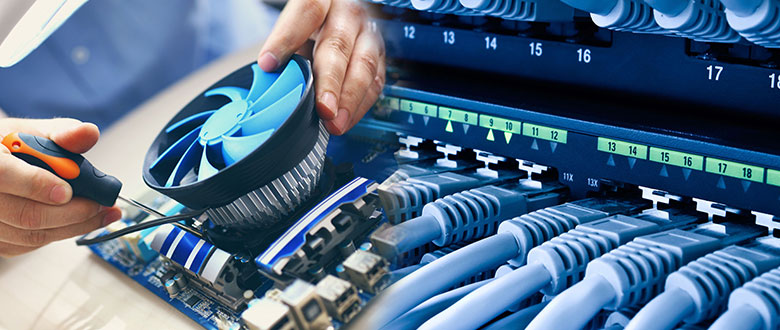
cfplHVzWSk9UZo4.jpeg?resize=780%2C330

Warsaw Indiana Most Reliable Onsite Computer, PC Repairs, Networking, and Voice and Data Cabling Services.

The Most Comprehensive Onsite Technology Solutions Coverage Available in Warsaw and Throughout the Whole State of Indiana.

Nationwide Onsite supplies exceptional on-site PC repairs, network, and voice and data cabling services throughout the entire city of Warsaw Indiana. Our knowledgeable, industry licensed onsite computer repair and network technology service technicians travel directly to your Warsaw site to provide fast, inexpensive installation, configuration, troubleshooting and repair services on an exceptionally wide range of different computer and networking technologies. Whether you need Windows OS error repair performed on your desktop or laptop workstation, Virus Elimination, or complex hardware diagnosis and repair services for Motherboards, RAM, CPU’s, or Hard Disk Drives, our top notch computer system PC professionals have you covered. If you need networking services installation, configuration and repair services including thorough voice and data structured cabling services, our expert experienced voice and data network techs are prepared to service your Warsaw site right now. Whether you need testing of your ISP modem, network router diagnostics, or simply need one of our pro Indiana technicians to pull some new cabling to support your growing network, we have it all covered, quickly and professionally. Give us a call today and learn why we are Indiana best on-site computer repair, network, and voice and data structured cabling service company –(859) 780-2190

Warsaw Indiana Onsite Computer PC Setup, Configuration and Repair Services.

Our Warsaw Tech’s Travel Directly to You for Unequalled Onsite Computer System PC Repair Support.

Nationwide Onsite offers high quality professional on-site PC repair services throughout the whole city of Warsaw, Indiana. Our industry certified, background checked on-site computer system repair techs are very experienced, are mobile throughout Warsaw, and travel directly to your site to carry out full service PC installs, setup, and diagnosis and repair service. We are not restricted by being a PC vendor particular company, and our on-site computer repair techs carry a multitude of accreditations for an exceptionally wide range of different makes and models of desktop, laptop types, so we have you covered despite your existing device type or current configuration. Our specialists are also available to perform installations, configuration, and repair of Point of Sale systems, for all software and hardware makes, models and types. With over 300 accredited onsite computer system repair service technicians situated throughout the state of Indiana, we have you and all of your on-site technology needs covered, on time, every time. With our mobile onsite services, there’s no need to lug your mission critical desktop, laptop computer in to a regional Warsaw repair shop, and unlike numerous other gimmicky “PC geek”, “guru”, and “pc doctor” services, our mobile staff professionals are industry licensed, background checked, and absolutely vetted to guarantee only the best quality professional on-site services for you and your location. The choice is clear. Give us a call today and let us prove to you why a lot of Warsaw services and citizens choose and rely on our total on site computer system repair services to keep their computers and networks working like new! –(859) 780-2190

Warsaw Indiana Onsite Computer PC Repair Services:

cfplHVzWSk9UZo4.jpeg?w=820

  • Complete Warsaw IN Desktop PC Diagnosis and Repair Services
  • Quick, Same Day Scheduling for Onsite Service Calls
  • PC RAM Testing and Replacement Services
  • Full Service Laptop PC Diagnosis and Repair Solutions Provided in Warsaw
  • Motherboard Testing Solutions
  • HDD Troubleshooting, Repair and Replacement
  • Warsaw Indiana SMB and Enterprise Server Diagnosis and Repair
  • Computer PC Networking Diagnose and Repair Work
  • Adware and Spyware Removal Providers
  • Warsaw Indiana Installs, Configuration and Diagnose and Repair Services
  • Peripheral and External Drive Troubleshooting and Repair
  • PC CPU Testing and Replacement Solutions
  • Warsaw Indiana Point of Sale and Retail BOH Computer PC and Network Repair Services
  • Data Backup and Recovery Solutions
  • Full Service PC Optimization Provider
  • Retail PC Deployment Installs and Configuration Services Available Throughout Warsaw Indiana
  • Complete Virus Eradication Solutions
  • Power Supply Testing and Replacement
  • Malware Eradication Providers
  • Windows 7, 8, 10 System Errors Support
  • Indiana Leading Option for Commercial Computer System Repair Solutions in:
  • Retail Hospitality
  • Industrial
  • Medical
  • Residential

Warsaw Indiana Professional Network Installs, Repairs, Voice and Data Cabling Solutions.

We Have Pro Voice and Data Network Solutions Throughout Warsaw Indiana.

Nationwide Onsite provides exceptional voice and data networking services throughout the whole city of Warsaw, Indiana. Our expert trained, networking industry certified network and low voltage voice and data cabling technicians carry out a very wide array of on-site technology services daily throughout the state of Indiana. We are the on-site technology service market leaders, and we have all your onsite network setup, configuration, troubleshooting, repair, and voice and data cabling services covered. Our specialists also carry out on site wireless wifi heat mapping surveys, setup, and troubleshooting, in addition to full Point of Sale network and cabling assistance services. Whether you require troubleshooting or setup and configuration of current network router, switch and hardware firewall devices, or troubleshooting and repair of your existing structured cabling, our onsite network service technicians have it covered 100 %. Our high quality low voltage inside wiring voice and data contracting services have you covered for a single drop to one thousand cabling drops in your brand-new or older construction site, fully compliant, with cabling certifications provided for all Cat5e, Cat6 and Coax structured cabling. Our accredited telecom voice network professionals are available to perform complete PBX and VoIP setup, configuration and repair, as well as full telecom voice network structured cabling end to end. So, whether you require complete cabling installation for a brand-new site, or merely require configuration and repair of your present network cabling or voice and data jacks, we have the best on site solution for you. Give us a call today and see why so many Indiana organizations count on our high quality onsite network and voice and data cabling services! –(859) 780-2190.

Warsaw Indiana Network Setup, Repair Services, Voice and Data Cabling Services:

  • Network and Telecom Installation and Repair Services.
  • Test, Tone, ANAC ID and Structured Cable Labelling, Inventory and Infrastructure Organization Solutions.
  • Warsaw Indiana PBX and VoIP Setup Services.
  • Cat5, Cat5e, Cat6 Cabling Solutions.
  • Warsaw Indiana Pro Onsite Low Voltage Cabling Services.
  • Network Data Cabling Installation, Testing and Repair Solutions.
  • Telecom Tag and Locate Solutions.
  • Network Infrastructure Setup: Rack, Patch Panel, Switch and Router.
  • Voice and Data Jack, Punches, Cross Connects and 66 Block Repairs.
  • Onsite Local Area Network Location Evaluations, Topology, Coverage and Heat Mapping Provider.
  • B2B Voice and Data Cabling Providers for SMB, Point of Sale, Retail POS.
  • DMARC and T-1 Expansion Cabling Services.
  • Warsaw Indiana Voice and Data Network Cabling and Equipment Diagnosis and Repair Providers.
  • Coax Cabling for Broadband and Security Camera Installations.
  • Network Cleanup, Wire Management Services.
  • High Quality Concealed Cabling Solutions.
  • Existing Infrastructure Cabling Diagnostics, Mapping, Repair, and Certification Solutions.
  • Network Voice and Data Configuration Contractors Throughout Warsaw.
  • In Wall, In Ceiling, Conduit and Cabling Installation Provider.
  • Warsaw Telecom Voice Structured Cabling for PBX and VoIP Telephone Systems.
  • Expert Voice and Data Inside Wiring Services in Warsaw.
  • The Best Voice and Data Network White Label Smart Hands Contractors for MSP’s With Customers in Warsaw Indiana.

The Trusted Leader in Onsite Tech Support Services Throughout Warsaw Indiana.

Indiana Most Reliable Commercial and Residential, SMB and B2B Onsite Technology Installs, Setup and Break Fix Repair Solutions.

Ever since 2008, Nationwide Onsite has offered simply the best on-site computer repair services, in addition to network and IT services throughout Warsaw and the whole state of Indiana. Our professional, mobile, industry certified on-site computer repair and networking specialists have resolved thousands of service calls throughout the area, and we are on call to service your tech needs right now. From computer system PC issues, hardware, and software application errors to complete network cabling and installation services, we have your on site needs covered, quickly and professionally. Whether you require professional onsite services for your local company, branch office workplace, or simply need on call white label IT on site smart hands support in Warsaw, our Indiana Onsite Tech Services have the fast and economical service for you and your onsite tech needs. Give us a call today and let us repair your computer system and networking problems, you’ll be thankful that you did –(859) 780-2190

Nationwide Onsite of Warsaw
Warsaw, Indiana 46580
(859) 780-2190

Leesburg Georgia Onsite PC Repair, Networking, Voice & Data Cabling Services

IrjSnc7xuTrRu3q.jpeg?resize=780%2C330

Leesburg Georgia Highest Quality Onsite Computer, PC Repairs, Networks, and Voice and Data Cabling Solutions.

The Most Thorough On-Site Technology Services Coverage Available in Leesburg and Throughout the Whole State of Georgia.

Nationwide Onsite provides superior on-site computer system repairs, network, and voice and data cabling services throughout the entire city of Leesburg Georgia. Our experienced, tech industry accredited onsite PC repair and networking technology professionals travel directly to your Leesburg site to supply fast, cost effective installation, setup, diagnostic and repair services on an incredibly wide range of different computer and networking technologies. Whether you need Windows OS error troubleshooting performed on your desktop or laptop workstation, Virus Elimination, or complex hardware troubleshooting and repair services for MB’s, RAM, CPU’s, or Hard Disks, our excellent computer PC technicians have you covered. If you require network installation, setup and repair services consisting of complete voice and data structured cabling services, our professionally qualified voice and data network techs are all set to service your Leesburg location immediately. Whether you require testing of your ISP modem, network router diagnostics, or simply need one of our pro Georgia technicians to pull some new cabling to support your growing network, we have it all covered, quickly and professionally. Give us a call today and discover why we are Georgia best on site PC repair, networking, and voice and data structured cabling service company –(859) 780-2190

Leesburg Georgia High Quality Network Setup, Repairs, Voice and Data Cabling Solutions.

We Have Pro Voice and Data Network Solutions Throughout Leesburg Georgia.

Nationwide Onsite offers exceptional voice and data networking services throughout the whole city of Leesburg, Georgia. Our professionally trained, industry licensed network and low voltage voice and data cabling professionals perform an exceptionally wide variety of onsite networking services daily throughout the state of Georgia. We are the on-site tech service industry leaders, and we have all your onsite network installation, configuration, troubleshooting, repair, and voice and data cabling services covered. Our technicians also carry out on-site wireless wifi heat mapping evaluations, installation, and troubleshooting, along with full Point of Sale network and cabling assistance services. Whether you need repair work or installation and configuration of present network router, switch and hardware firewall devices, or troubleshooting and repair of your existing structured cabling, our onsite network service technicians have it covered 100 %. Our high quality low voltage inside wiring voice and data contracting services have you covered for one single drop to thousands of cabling drops in your brand-new or older building area, fully certified, with cabling certs provided for all Cat5e, Cat6 and Coax installations. Our licensed telecom voice network professionals are on demand to carry out full PBX and VoIP setup, configuration and repair, in addition to full telecom voice network structured cabling end to end. So, whether you require complete cabling installation for a brand-new office, or just need configuration and repair of your current network cabling or voice and data jacks, we have the best on site solution for you. Reach out and give us a call today and see why a lot of Georgia companies depend on our high quality onsite network and voice and data cabling services! –(859) 780-2190.

Leesburg Georgia Network Setup, Repair Services, Voice and Data Cabling Services:

  • Network and Telecom Setup and Repair Services.
  • Test, Tone, ANAC ID and Structured Cable Labelling, Inventory and Infrastructure Organization Solutions.
  • Leesburg Georgia PBX and VoIP Setup Solutions.
  • Cat5, Cat5e, Cat6 Cabling Solutions.
  • Leesburg Georgia Pro Onsite Low Voltage Cabling Solutions.
  • Network Data Cabling Installation, Diagnosis and Repair Services.
  • Telecom Tag and Locate Providers.
  • Network Infrastructure Setup: Rack, Patch Panel, Switch and Router.
  • Voice and Data Jack, Punches, Cross Connects and 66 Block Services.
  • Onsite LAN Site Surveys, Topology, Reporting and Heat Mapping Services.
  • B2B Voice and Data Cabling Providers for SMB, Point of Sale, Retail POS.
  • DMARC and T-1 Extension Cabling Solutions.
  • Leesburg Georgia Voice and Data Network Cabling and Equipment Troubleshooting and Repair Providers.
  • Coax Cabling for Broadband and CCTV Installations.
  • Network Cleanup, Wire Management Services.
  • Excellent Quality Concealed Cabling Providers.
  • Existing Infrastructure Cabling Diagnostics, Mapping, Repair, and Certification Providers.
  • Network Voice and Data Setup Services Throughout Leesburg.
  • In Wall, In Ceiling, Conduit and Cabling Installation Services.
  • Leesburg Telecommunications Voice Structured Cabling for PBX and VoIP Telephone Systems.
  • Total Voice and Data Inside Wiring Solutions in Leesburg.
  • Top Choice Voice and Data Network White Label Smart Hands Providers for MSP’s With Client Sites in Leesburg Georgia.

Leesburg Georgia On Site PC Setup, Config and Repair Services.

Our Leesburg Tech’s Travel Directly to You for Unequalled Onsite Computer PC Repair Assistance.

Nationwide Onsite supplies high quality professional on-site PC repairs services throughout the entire city of Leesburg, Georgia. Our PC industry certified, background checked on site PC repair techs are very experienced, are mobile throughout Leesburg, and travel right to you to perform full service PC installation, configuration, and diagnosis and repair service. We are not restricted by being a PC brand particular business, and our on site computer system repair techs hold a wide range of certifications for a very wide array of various makes and models of desktop, laptop computer types, so we have you covered despite your present device type or current setup. Our specialists are also available to carry out installation, setup, and repair of Point of Sale systems, for all hardware and software makes, models and types. With over 300 licensed on-site computer repair service technicians located throughout the state of Georgia, we have you and all of your onsite technology requirements covered, on time, every time. With our mobile on site services, there’s no need to lug your mission critical desktop, laptop in to a local Leesburg repair shop, and unlike many other gimmicky “PC geek”, “computer master”, and “pc medic” services, our mobile staff technicians are industry certified, background checked, and fully vetted to guarantee absolutely the best quality professional on-site services for you and your local site. The choice is clear. Give us a call today and let us prove to you why many Leesburg companies and citizens select and rely on our complete onsite computer repair services to keep their computers and networks operating like new! –(859) 780-2190

Leesburg Georgia Onsite Computer System PC Repair Solutions:

IrjSnc7xuTrRu3q.jpeg?w=820

  • Complete Leesburg Desktop PC Diagnosis and Repair Services Providers
  • Fast, Same Day Scheduling for Onsite Services
  • PC RAM Diagnosis and Replacement Services
  • Full Service Laptop PC Troubleshooting and Repair Services in Leesburg
  • Motherboard Diagnosis Providers
  • HD Troubleshooting, Repair and Replacement
  • Leesburg Commercial Small Business and Enterprise Server Troubleshooting and Repair Services
  • Computer PC Networking Diagnose and Repair
  • Adware and Spyware Elimination Providers
  • Leesburg Georgia Installs, Configuration and Diagnose and Repair Services
  • Peripheral and External Drive Troubleshooting and Repair Service
  • PC CPU Diagnosis and Replacement Solutions
  • Leesburg Georgia Point of Sale and Retail BOH Computer PC and Network Repair Services
  • Data Information Backup and Recovery Solutions
  • Total PC Optimization Solutions
  • Retail PC Deployment Installation and Configuration Services Available in Leesburg Georgia
  • Trusted Virus Eradication Providers
  • Power Supply Diagnosis and Replacement
  • Malware Eradication Providers
  • Windows 7, 8, 10 OS Errors Support
  • Georgia Leading Option for Commercial PC Repair Providers in:
  • Retail Hospitality
  • Industrial
  • Medical
  • Residential

The Trusted Leader in Onsite Tech Solutions Throughout Leesburg Georgia.

Georgia Top Commercial and Residential, SMB and B2B Onsite Technology Installs, Setup and Repair Providers.

Since 2008, Nationwide Onsite has provided simply the best on-site PC repair services, along with network and IT services throughout Leesburg and the whole state of Georgia. Our expert, mobile, IT industry accredited on site PC repair and networking professionals have resolved countless service calls throughout the region, and we are on call to service your tech needs right now. From computer PC concerns, hardware, and software errors to complete network cabling and installation services, we have your on site requirements covered, quickly and professionally. Whether you need professional on site services for your local business, branch office, or simply need as needed white label information technology on-site smart hands support in Leesburg, our Georgia Onsite Technology Services have the quick and cost effective service for you and your onsite tech requirements. Give us a call today and let us repair your PC and networking issues, you’ll be happy that you did –(859) 780-2190

Nationwide Onsite of Leesburg
Leesburg, Georgia 31763
(859) 780-2190